
Empowering Operators: Web-Based Alarm Management in Mervis SCADA
While robust alarm state logic has always been a fundamental component of the Mervis ecosystem, the way operators interact with it has taken a major step forward. The defining new feature is that users with the appropriate administrative permissions can now edit the alarm behavior of datapoints straight from the SCADA web interface, completely bypassing the need to recompile in the IDE.
Real-Time Control at Your Fingertips
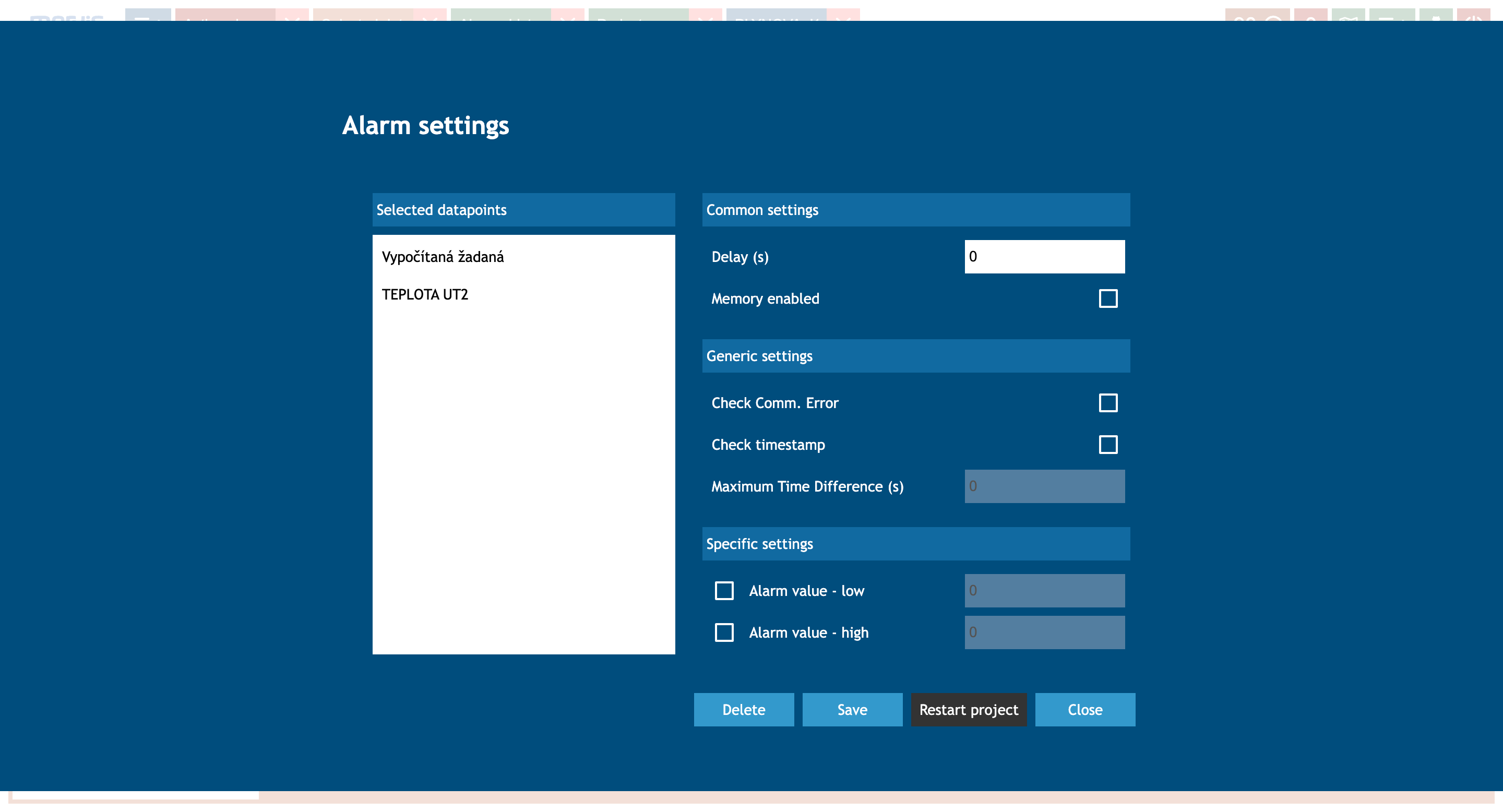
As demonstrated in the Alarm settings menu, authorized operators can now seamlessly manage operations directly from the field. Key capabilities include:
- Batch Edit Datapoints: Select multiple datapoints simultaneously (e.g., Vypočítaná žádaná and TEPLOTA UT2) to apply uniform rules across similar sensors.
- Adjust Core Logic: Modify the Delay (s) to prevent nuisance tripping and toggle the Memory enabled state to ensure fleeting alarms are properly acknowledged.
- Manage Connectivity Alerts: Enable generic settings like Check Comm. Error and Check timestamp to ensure data integrity.
- Fine-Tune Thresholds: Set specific configurations for high and low alarm limits directly on the fly.
By tying these capabilities strictly to user permissions, Mervis ensures that routine operational adjustments can be made rapidly in the field without compromising the baseline security of the project.
For detailed instructions on configuring these features, visit the Mervis Knowledge Base.