
Desktop Power in Your Pocket: The New Mervis SCADA Mobile App
At Energocentrum Plus, we are excited to announce a major overhaul to our mobile experience. The newly updated Mervis SCADA mobile application is now available as a Progressive Web App (PWA). This major update provides an experience that is practically identical to the full desktop version, putting unprecedented control directly into the hands of facility operators.
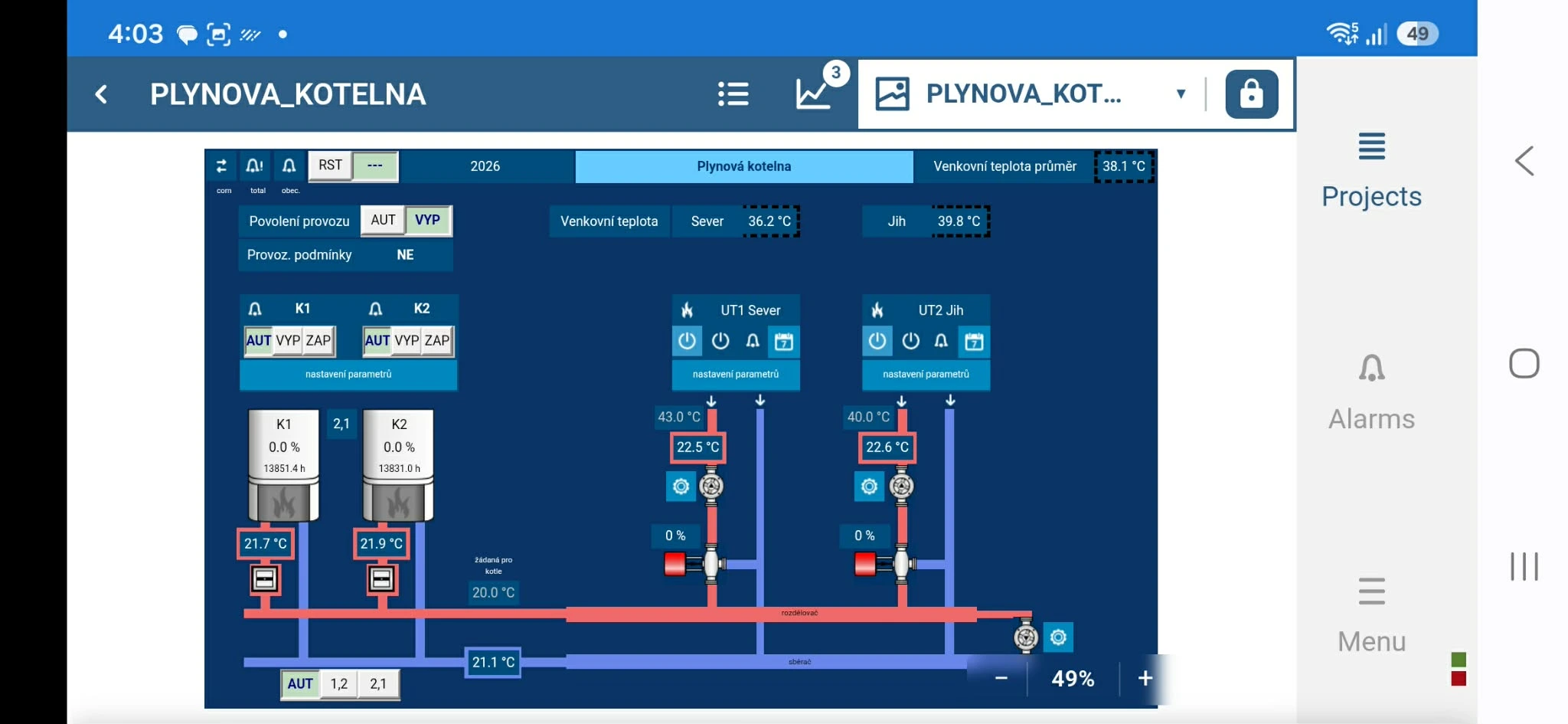
A Modern, Native Experience
By installing the application directly to your device as a PWA, you remove the browser URL bar, maximizing your screen space for a cleaner native-app look. This modern approach allows you to install the app directly from your web browser without needing to visit the Apple App Store or Google Play Store. Furthermore, installing the PWA enables your device to receive push notifications for critical alerts.
Uncompromised Features on the Go
The updated mobile application ensures you do not lose any functionality when stepping away from your desk. Key features include:
- Full Visual Schemas: View the full layout and visual representations of your projects directly on your phone.
- Advanced Graphing: The mobile app supports Line, Bar, and Carpet graphs. The application fully supports both portrait and landscape orientations, allowing you to rotate your phone for a wider view at any time.
- Comprehensive Alarm Management: View current triggered alarms, review alarm history, and acknowledge active warnings across your projects just as you would on the desktop.
- Intuitive Navigation: Easily select datapoints for graphing or bulk actions by tapping, holding, and swiping across the row.
Notice for existing users: The legacy native Mervis SCADA applications have been discontinued and removed from the iOS and Android app stores. While existing installations will continue to function, they will no longer receive updates. We highly recommend all users switch to the new PWA.
To install the new app, navigate to scada.mervis.info/mobile on your device and follow the specific guide for your platform. For full instructions, visit the Mervis Knowledge Base.