
Finer Scheduling Control in Mervis SCADA
At Energocentrum Plus, we know that precise timing often matters just as much as the automation itself. The latest Mervis SCADA update refines the scheduling engine behind Time Programs (TPG), enabling shorter, more precise transition times between operating states — giving you finer control over when your systems switch modes.
Precision Where It Counts
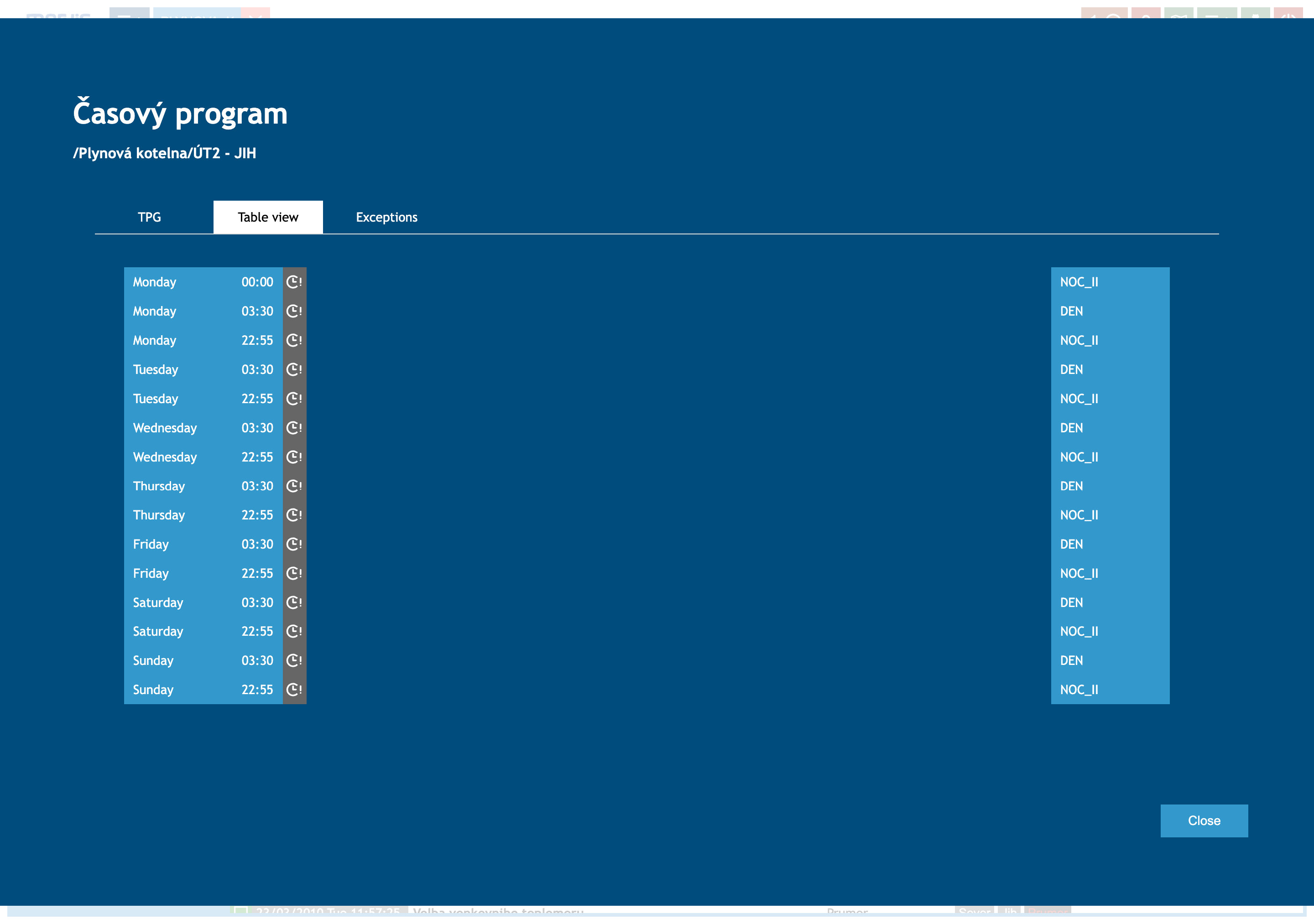
The table above shows a real Time Program schedule for a heating circuit, switching between a NOC_II (night) state and a DEN (day) state throughout the week. Notice the transition times: 03:30 and 22:55 — not rounded to the nearest hour. Each day of the week can now carry its own precisely timed transitions, giving operators the flexibility to align schedules with actual usage patterns rather than compromising on whole-hour blocks.
Where to Find It
Time Programs are accessed directly from scheduler-type data points in the Table View — look for the clock icon in the Actions column. Opening a Time Program gives you three views:
- TPG: A visual weekly grid showing the schedule at a glance.
- Table view: A precise list of every scheduled transition, with day and exact time.
- Exceptions: One-off overrides to the regular weekly schedule.
Why It Matters
- Tighter alignment with real usage: Set transitions exactly when they're needed, not just on the hour.
- Better energy efficiency: Shave unnecessary runtime at the margins of your schedule instead of over- or under-shooting by up to an hour.
- More schedule capacity: Each Time Program supports up to 199 state changes, giving you room for detailed, day-specific schedules across a full week.
Want to fine-tune your own scheduling setup? Reach out to our support team — we're happy to walk through it with you.